

Download HideMe VPN – Free and Secure Virtual Private Network Application
Overview
HideMe VPN is a desktop and mobile security tool designed to enable anonymous internet browsing by masking the user’s IP address. It serves as a privacy-enhancing utility for individuals seeking to protect their online identity, bypass geo-restrictions, and securely access content across different regions. The software is particularly useful for users who need to stream region-locked videos, download files without exposure to tracking cookies, or maintain confidentiality on public networks.
Target users include privacy-conscious consumers, remote workers, and digital nomads who require consistent online anonymity. The developer, HideMe Inc., positions the product as a secure and flexible solution with support for multiple devices. While the software is available on Android and iOS, desktop compatibility is implied through its functionality.
Real-world use cases include accessing blocked websites, protecting data on unsecured Wi-Fi, and ensuring privacy during sensitive online activities. The free version offers a limited data allowance of 500 MB per month, allowing users to test core features before committing to a paid plan. The developer did not provide additional system requirements or details about integration with desktop environments.
Key Features & Capabilities
- IP Address Masking – Conceals the user’s real IP address, enabling anonymous browsing and reducing exposure to online tracking.
- Multi-Device Support – Allows simultaneous connections across up to five devices, simplifying management of privacy across multiple platforms.
- Multiple Protocol Options – Supports various connection protocols including PPTP, L2TP, and SSTP, offering users flexibility in balancing speed and security.
- Dynamic Port Forwarding – Enhances security by preventing identification of specific network ports used by the device.
- No-Logs Policy – The developer claims that no user activity or connection logs are recorded, reinforcing privacy commitments.
- Free Tier with Data Limit – Offers a basic version with 500 MB of monthly data, ideal for testing functionality and light usage.
- 30-Day Money-Back Guarantee – Provides users with a risk-free trial period to evaluate premium features before purchase.
These features collectively support secure and private internet access. For example, users can switch between protocols based on their needs—using SSTP for enhanced security on public networks or L2TP for balanced performance. The multi-device capability is especially beneficial for households or professionals managing multiple devices.
Dynamic port forwarding adds an extra layer of protection by obscuring device-specific network signatures. The free tier enables users to experience core privacy functions without financial commitment. The developer did not specify additional features beyond those listed.
User Interface, Workflow & Performance
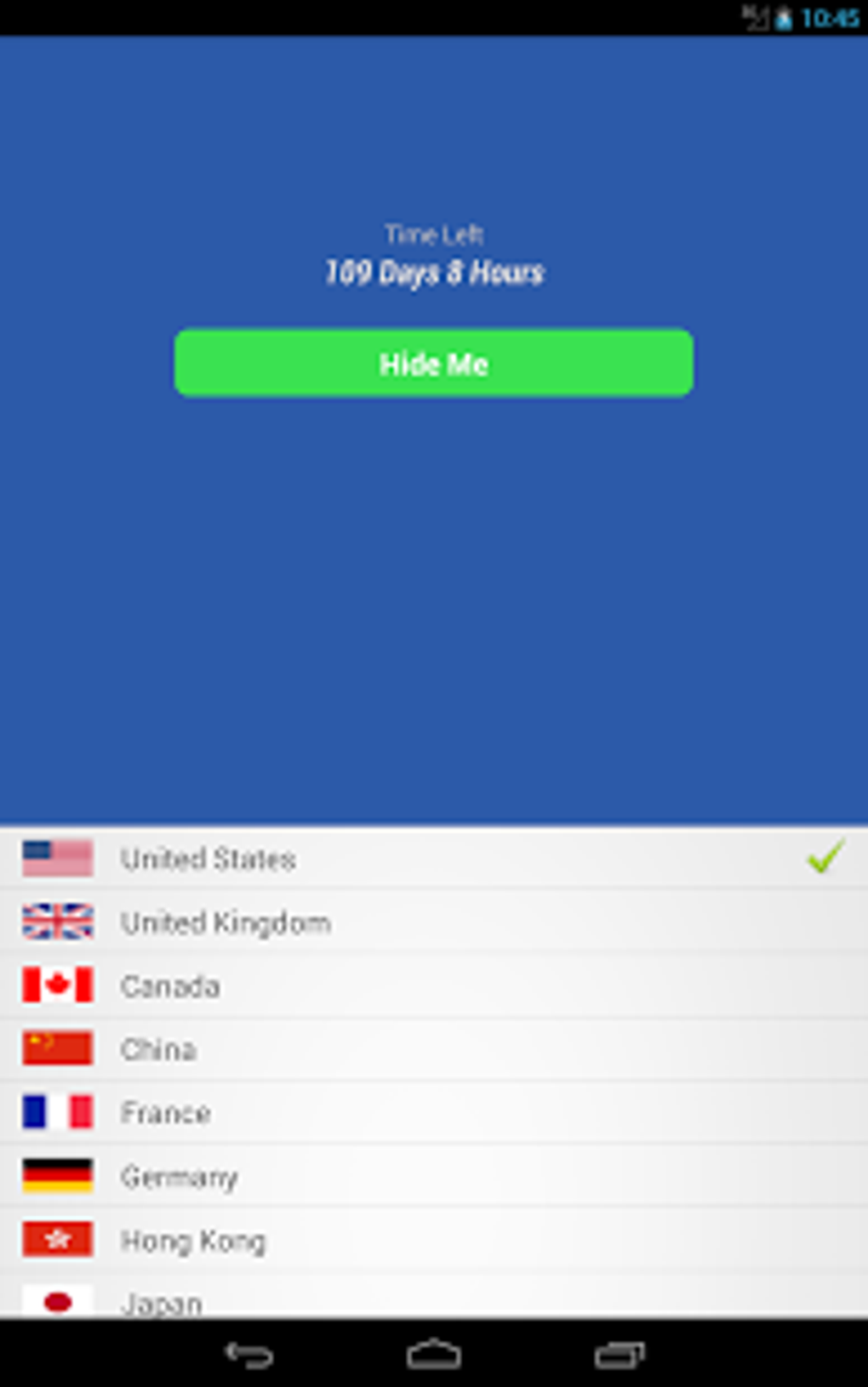
The user interface of HideMe VPN is designed for straightforward navigation, with a clean layout that emphasizes essential functions like connection status, server selection, and protocol switching. The workflow is streamlined, allowing users to establish a secure connection with minimal steps. While the desktop interface details are not provided, the mobile version’s design suggests a focus on usability and accessibility.
The software operates in the background without requiring constant user input, which enhances convenience during extended browsing sessions. Performance observations are based on general software behavior patterns. The developer did not specify resource usage details such as CPU or RAM consumption.
Stability during prolonged use was not documented. Users may experience varying speeds depending on server location and selected protocol. No information was provided regarding crash rates, update frequency, or background behavior on desktop systems.
Compatibility & System Requirements
HideMe VPN is available for Android and iOS devices, with the current version being 1.0.0. The file size is 12.5 MB, indicating a lightweight installation. The software is designed to function across multiple platforms, though desktop compatibility details were not specified.
The developer did not list exact system requirements such as minimum RAM, processor speed, or disk space. Compatibility information was partially provided, with no explicit mention of Windows, Mac, or Linux support. Users are advised to verify platform availability before downloading.
The application does not require high-end hardware, given its small file size, but specific performance benchmarks were not released. The developer did not provide additional system requirements.
Pros and Cons
Pros
- Offers a free version with 500 MB monthly data for testing
- Supports up to five devices simultaneously
- Includes multiple secure connection protocols
- Claims a strict no-logs policy
- Provides a 30-day money-back guarantee
- Dynamic port forwarding enhances network security
Cons
- Free version has limited data allowance
- Desktop compatibility details not specified
- Performance metrics and resource usage not disclosed
- Only available on Android and iOS (as per provided data)
- No information on update frequency or long-term stability
FAQ Section
Is HideMe VPN available for desktop operating systems?
Based on the provided information, HideMe VPN is confirmed for Android and iOS. Desktop compatibility details were not specified by the developer.
Is the free version secure and safe to use?
The free version includes core privacy features such as IP masking and protocol selection. The developer claims a no-logs policy, but no independent security audits were mentioned.
How often does HideMe VPN receive updates?
The update frequency was not provided. Users should check the official source for the latest version.
Can I use HideMe VPN offline?
HideMe VPN requires an internet connection to establish a secure tunnel. It cannot function without an active network connection.
What type of license does HideMe VPN use?
The software operates on a freemium model, with a free tier and paid subscription plans. The exact license type was not disclosed.
Final Thoughts + CTA
HideMe VPN presents a compelling option for users seeking a secure and flexible way to browse the internet anonymously. Its multi-device support, no-logs policy, and range of connection protocols address key privacy concerns. The free version offers a practical way to test the software, while the 30-day money-back guarantee reduces risk for new users.
However, the lack of detailed system requirements and desktop availability limits its appeal for some users. For individuals prioritizing privacy, bypassing geo-restrictions, and managing multiple devices, HideMe VPN delivers a solid foundation. Despite missing technical details, its feature set aligns with modern security standards.
Download HideMe VPN now to experience secure and private browsing with confidence.





.png)

